Flash Deals Live 🔥 Upgrade to Xeno Digital Lock — FREE Letter box Lock Included | Limited Time Only – Secure Your Home & Save Today!

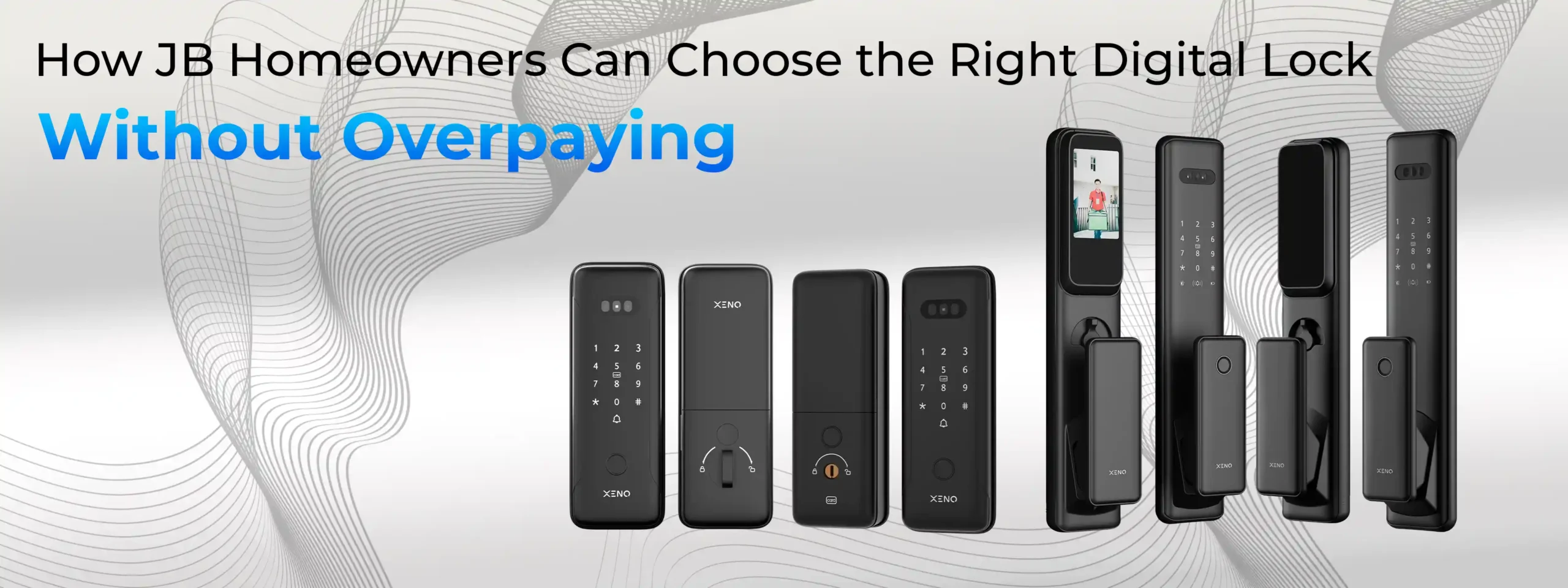
How JB Homeowners Can Choose the Right Digital Lock Without Overpaying

Buying a digital lock is no longer considered a luxury for homeowners in Johor Bahru. With rising security awareness, busy lifestyles, and the convenience of keyless entry, digital locks have become a practical home upgrade. However, one common concern many JB homeowners share is this: how do you choose the right digital lock without paying more than necessary?
The truth is, overpaying usually happens when buyers are unclear about their actual needs, door compatibility, or market pricing. This guide is written specifically for Johor Bahru homeowners who want value for money, not just fancy features. By the end of this article, you’ll know exactly how to pick the right digital lock—confidently and wisely.
Why Digital Lock Prices Vary So Much in Johor Bahru
If you’ve browsed online or visited showrooms in Johor Bahru, you may have noticed that digital lock prices range from very affordable to premium-level pricing. This wide range exists because digital locks differ in:
- Access methods
- Build quality and materials
- Door compatibility
- Fire-rated certification
- Smart features and app integration
- Warranty and after-sales support
Understanding these differences helps you avoid paying for features you don’t actually need.
Step 1: Understand Your Home’s Real Requirements
Before looking at brands or prices, start with your home—not the product.
Main Door, Gate Door, or Both?
Many JB homes have:
- A metal gate (external)
- A main wooden or metal door (internal)
These require different types of digital locks. A gate lock must be weather-resistant, while a main door lock focuses more on security, aesthetics, and comfort.
If someone tries to sell you one “universal” lock for both, that’s usually a red flag.
Door Type and Thickness Matter
Overpaying often happens when buyers purchase a lock that:
- Doesn’t fit their door properly
- Requires extra modification
- Needs additional parts
Always check:
- Door material (wood, metal, fire-rated)
- Door thickness
- Left or right opening direction
Choosing a compatible lock avoids unnecessary installation costs.
Step 2: Choose Only the Access Methods You’ll Actually Use
More features usually mean higher prices—but not always more value.
Common Access Options Explained
Fingerprint
- Fast and convenient
- Ideal for families
- Most commonly used daily access
PIN Code
- Useful for guests or cleaners
- Easy to reset anytime
RFID Card
- Simple for elderly users
- Less technical learning curve
Mobile App
- Helpful for monitoring access
- Useful for rental units or frequent travellers
Face Recognition
- Touch-free and premium
- Ideal if hygiene or speed is a priority
If your household mainly uses fingerprint and PIN, paying extra for advanced features you won’t use is unnecessary.
Step 3: Don’t Pay Extra for “Trendy” Features You Don’t Need
Some features sound impressive in sales pitches but add little real-life value for certain homes.
Examples include:
- Advanced smart home integration when you don’t use smart devices
- Excessive app notifications
- Overly complex control panels
A good digital lock should simplify life, not complicate it.
Step 4: Fire-Rated Digital Locks – Only When Necessary
Fire-rated digital locks are essential only if your door is fire-rated, which is common in:
- Condominiums
- Apartments
- Certain gated communities
Installing a fire-rated lock on a normal door may not give you additional benefits—but it will increase cost. On the other hand, installing a non-fire-rated lock on a fire-rated door can cause compliance issues.
Knowing your door’s certification helps you avoid overpaying or under-protecting.
Step 5: Understand Installation Costs Clearly
Some homeowners overpay because installation fees were not clarified upfront.
Before buying, confirm:
- Is installation included in the price?
- Are there extra charges for metal or fire-rated doors?
- Does installation include calibration and testing?
Professional installation is not optional—it is essential. A poorly installed lock can lead to malfunction, misalignment, or security risks.
Step 6: Battery System and Emergency Access – Don’t Ignore These
A cheaper lock with poor battery design can cost you more over time.
Look for:
- Long battery life
- Low-battery warning alerts
- Emergency USB power option
- Mechanical key backup
These features prevent lockouts and reduce maintenance stress—saving money in the long run.
Step 7: Compare Warranty and After-Sales Support, Not Just Price
Two locks may look similar in features but differ significantly in support.
Always check:
- Warranty duration
- Local service availability in Johor Bahru
- Spare parts support
- Response time for service issues
A slightly higher-priced lock with strong local support is often cheaper over its lifetime than a low-cost option with no service backup.
Step 8: Avoid These Common Overpaying Mistakes
Many JB homeowners unknowingly spend more due to these mistakes:
- Buying the most expensive model “just in case”
- Choosing features based on sales talk, not usage
- Ignoring door compatibility
- Overlooking installation and support costs
- Comparing prices without checking warranty coverage
Being informed protects both your home and your wallet.
How Much Should JB Homeowners Realistically Budget?
While prices vary, a realistic budgeting approach looks like this:
- Entry-level: Suitable for basic needs and secondary doors
- Mid-range: Best balance of security, features, and price
- Premium: For homeowners who value advanced access and design
Instead of asking “What’s the cheapest?”, ask “What gives me the best value for my home?”
When Paying More Actually Makes Sense
Overpaying is not the same as paying more for the right reasons.
Paying extra is justified when:
- Your door is fire-rated
- You need synchronised gate and door unlocking
- You manage rental units
- You want stronger after-sales support
- You prefer long-term durability
The key is intentional spending—not impulse buying.
Frequently Asked Questions (FAQ)
1. Can I install a digital lock on my existing door?
Yes, most existing doors can support digital locks, but door material and thickness must be checked first.
2. Are cheaper digital locks safe to use?
They can be safe if they meet quality standards and are installed correctly, but warranty and support may be limited.
3. Do I need WiFi for a digital lock?
No. WiFi is optional and mainly used for remote monitoring and app features.
4. What happens if the battery runs out?
Most digital locks give low-battery alerts and allow emergency power via a power bank.
5. Is fingerprint access reliable?
Yes. Modern fingerprint sensors are accurate and widely used in Malaysian homes.
6. Should I buy online or from a local supplier?
Local suppliers offer better installation support and after-sales service, which is important for first-time buyers.
7. How long does a digital lock usually last?
With proper use and maintenance, a quality digital lock can last many years.